 Max Portal
From estimate to paid invoice, without the chasing
Send estimates and agreements, invoice on a schedule, record payments and track what you spend on behalf of each customer.
See plans and pricingInvoice the way your business bills
Monthly retainers go out by themselves. One-off work is a few clicks. Once issued, an invoice is locked so your records stay right.
- Recurring and scheduled invoices
- Merge several invoices into one
- Taxes by jurisdiction
- Credit notes and refunds
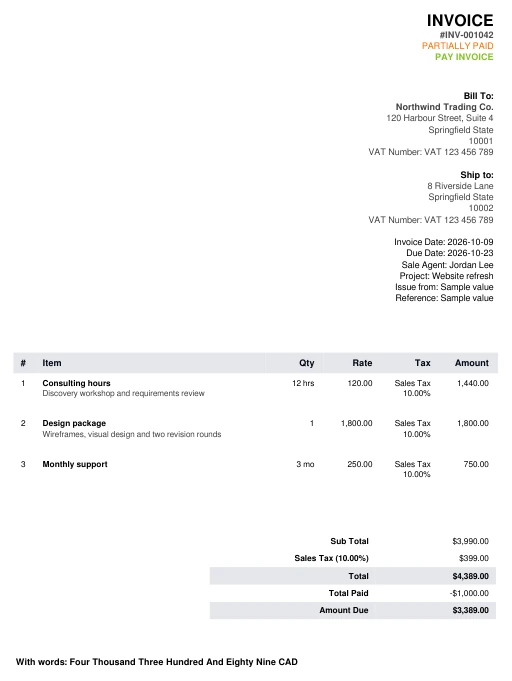
See who has paid and who has not
Record full, partial and batch payments, send receipts and give customers a clear statement of where they stand.
- Partial and batch payments
- Receipts
- Customer statements
- Accounts receivable aging
Win the work, then get it signed
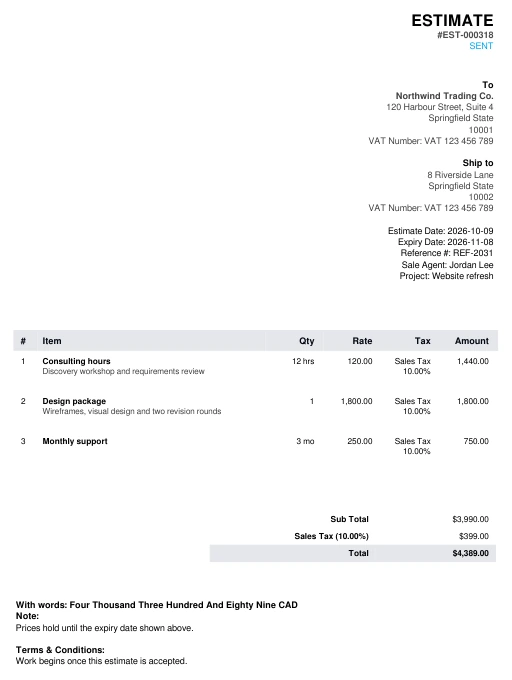
Send an estimate customers can accept online, then an agreement from your own template with a drawn signature.
- Estimates with optional lines and online acceptance
- Proposals
- Agreements from templates
- Renewals and drawn e-signature
Works for any kind of business
The same module, used in different ways. These are examples.
Trades & contractors
Send an estimate, then invoice when the job is done.
Agencies & studios
Monthly retainers that invoice themselves.
Shops & wholesale
Invoices, credit notes and customer statements.
Consultants
Estimates accepted online and agreements signed online.
What's included
Recurring invoices
Retainers and monthly work invoice themselves.
Scheduled sending
Prepare now and send on the day you choose.
Payments
Partial and batch payments, with receipts.
Credit notes
Credit notes and refunds that stay on the record.
Statements
A clear statement for each customer.
Expenses
Billable expenses, as taxable items or disbursements.
Recoverable tax
Flag the tax you can recover on an expense.
Contracts
Agreements with a drawn signature.
Reports
Tax summary, aging, income, and expenses against income.
Frequently asked questions
Does this replace my accounting software?
No. It handles billing, expenses and the reports listed here. It has no general ledger or balance sheet.
Can I bill an expense back to a customer?
Yes. An expense can be billed to the customer as a taxable item or as a disbursement, and you can flag tax you can recover.
What kind of e-signature is it?
A drawn signature, meant for ordinary agreements such as service agreements. Check with your adviser for documents that have special signing rules.
Works with the rest of Max Portal
Add Billing & Expenses to your plan
Choose your plan, then pick your modules in the next step.
See plans and pricing